This free online service allows you to create HTML image maps (aka clickable maps).
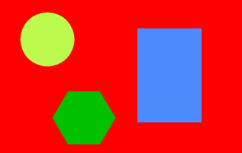
For example several areas on this image are clickable. The clickable areas can be a circle, rectangle or a polygon.
Show the HTML image map code.
How it works:
- Upload any of the following image filetypes: .gif, .jpg, .png, .jpeg.
The maximum file size = 100 KB.
If the uploaded image has a width larger than 610px, it will be automatically resized to 610px.
- Click your mouse on the image and draw a region (circle, rectangle or polygon)
and enter the mandatory region information:
- Press the "Save region" button.
- All entered data are stored.
An overview of all your created regions are displayed in the "Created regions" section.
- After you have saved one or more regions, press the "Create HTML Map" button.
- The HTML image map code can be found in the "Output" section on the bottom of the page
as well as a zip file containing the same code including the uploaded image.
Note: When you upload an image and its width is larger then 610px, the image will be
resized to fit the page. When the image map is created the region coordinates are
recalculated based on the original image scale.
- For each uploaded image a unique Upload code is generated.
You can continue working on your HTML image map at a later time by entering this code in the "Enter issued Upload code" field.
- The HTML image map will be available for 10 hours after the "Create HTML Map" button is pressed
and then will be automatically deleted.
Input HTML image map creator:
|
Output HTML image map creator:
No HTML image map.
|
|
