JOGL API is a reference implementation of the Java bindings for OpenGL API, and is
designed to provide hardware-supported 3D graphics to applications written in Java.
The latest JOGL precompiled binaries and documentation can be downloaded from:
https://jogl.dev.java.net/servlets/ProjectDocumentList
More information about JOGL can be found at:
https://jogl.dev.java.net/
Installing JOGL 1.1b07
Information
none
Operating system used
Windows XP Home Edition Version 5.1 SP 2
Software prerequisites
Java 2 Standard Edition (J2SE) SDK, version 1.4 or higher.
Ant 1.5.1 or higher.
Procedure
- Create directory C:\Tools\jogl\lib
- Download from
https://jogl.dev.java.net/servlets/ProjectDocumentList
the jogl.jar and jogl-natives-win32.jar into the lib directory.
- Unjar jogl-natives-win32.jar, using command:
jar xvf jogl-natives-win32.jar
The following files are extracted:
extracted: jogl.dll
extracted: jogl_cg.dll
extracted: META-INF/manifest.mf
extracted: META-INF/zigbert.sf
extracted: META-INF/zigbert.rsa
- Edit the CLASSPATH variable:
- Right-click My Computer, and then click Properties.
- Click the Advanced tab.
- Click Environment variables.
- Edit the CLASSPATH system environment variable:
CLASSPATH=xxxx;C:\Tools\jogl\lib\jogl.jar
- Edit the PATH variable:
- Right-click My Computer, and then click Properties.
- Click the Advanced tab.
- Click Environment variables.
- Edit the PATH system environment variable:
PATH=xxxx;C:\Tools\jogl\lib\
Note: Make sure the *.dll files are located in C:\Tools\jogl\lib\
- JOGL is now installed. To test if all is working,
download and unzip jogl-demos-src.zip.
For example: C:\Tools\jogl\jogl-demos
- Open a DOS window and type:
cd C:\Tools\jogl\jogl-demos\make
ant
You will see the following:
Buildfile: build.xml
test.for.jogl.demos.jar:
java.class.path.validate:
init:
all:
[mkdir] Created dir: C:\Tools\jogl\jogl-demos\build\classes
[javac] Compiling 77 source files to C:\Tools\jogl\jogl-demos\build\classes
[jar] Building jar: C:\Tools\jogl\jogl-demos\build\jogl-demos.jar
[jar] Building jar: C:\Tools\jogl\jogl-demos\build\jogl-demos-util.jar
[jar] Building jar: C:\Tools\jogl\jogl-demos\build\jogl-demos-data.jar
[zip] Building zip: C:\Tools\jogl\jogl-demos\build\jogl-demos-src.zip
BUILD SUCCESSFUL
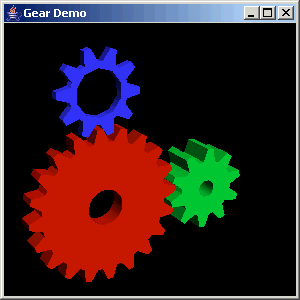
- To run the demos, read the C:\Tools\jogl\jogl-demos\doc\readme.html.
-
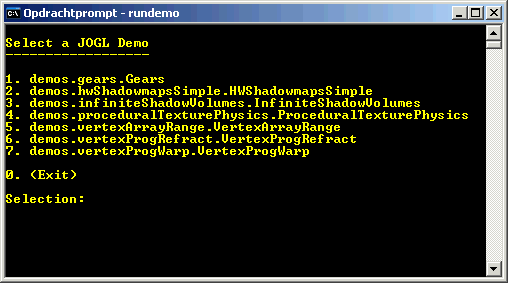
A DOS batch file has been written to run the demos.
Download jogl rundemo.bat.
- Optionally you can download and unzip javadoc_public.zip.
For example: C:\Tools\jogl\javadoc_public.
This zip file contains an overview of JOGL API.
|
|
